Accessibility plugin · Testing
Find accessibility issues on the screen you're testing.
The Accessibility plugin checks the screen open on the device against WCAG 2.1 rules. It scores the screen, marks every issue on a screenshot and says how to fix each one. Run it by hand, or on every screen of a test run.
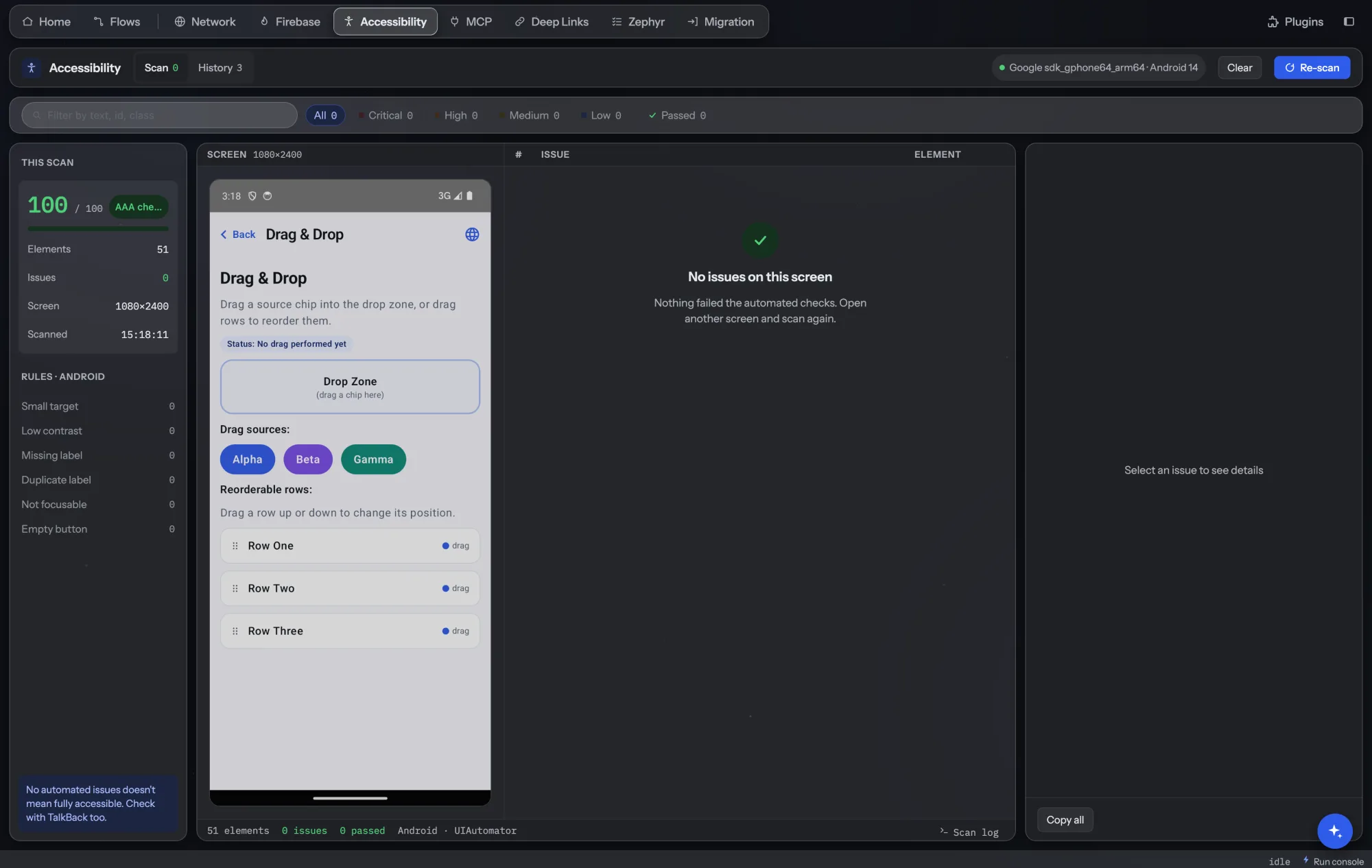
Everything in the Accessibility tab.
One-click scan
Scans the screen on the selected Android device, emulator or iOS simulator.
Score and level
A score out of 100, the WCAG level the screen reaches, and issues grouped by severity.
Issues on the screenshot
Numbered boxes on a screenshot show where each issue is; click one to see the element and its selector.
How to fix
Every issue comes with what's wrong, the WCAG rule it breaks and a recommendation.
During test runs
With the plugin on, scenario and chain runs scan each new screen they visit and save a report per step.
History
Recent scans and run reports in one place, with scores to compare.
How teams use it.
Check a new screen before review
Open the screen, scan it, fix the missing labels and small touch targets before the pull request.
Fewer accessibility comments in review.
Scan every screen on every run
With the plugin on, every scenario run scans each new screen it visits. History keeps each step's score, so a drop shows next to earlier runs.
Accessibility stops slipping between releases.
Give designers a concrete list
Copy the issues with their rule and fix and share them with design.
Clear, specific fixes instead of vague reports.
- Included in Team and Enterprise, and in every plan's 6-week trial. See pricing.
- Works on Android devices and emulators and on iOS simulators. Physical iPhones aren't supported yet.
- A scan checks what's on screen; it doesn't replace testing with a screen reader.